Beyond the single prompt
Almost everyone stops at one prompt. Each level up is mostly just a few extra sentences. Here is the whole ladder.
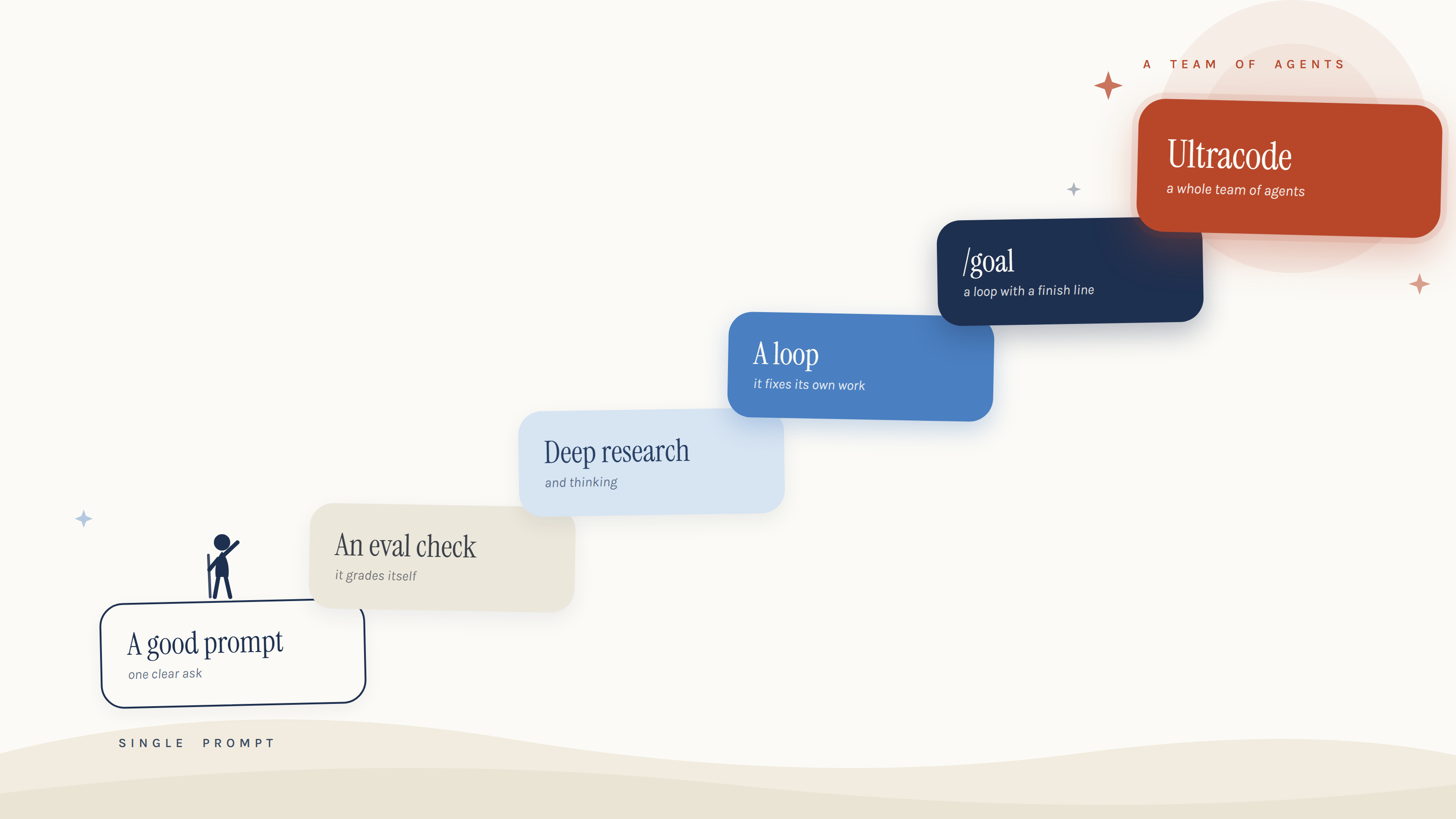
Each level adds a little, and it is mostly just a few extra sentences. The eval check is it grades its own work, the loop is it fixes what it grades, ultracode is a whole team. The trick is not climbing to the top.
Climb to the lowest level that does the job, not the highest. Most work only needs the first two.
The context ladder on How to Prompt is about what you feed it. The leverage ladder on this page is about how much you hand over. More context is nearly free, a few extra sentences. More leverage is earned, one level at a time.
Not sure which level? Ask it to talk you down · the golden rule as a prompt
- The cheapest answer that nails it beats the fanciest one that makes a mess and burns your plan.
- Before you climb, ask: would the level below have done this? If yes, drop down.
Here's a task I want to do with AI: [describe it].

Before we start, tell me the LOWEST-effort way to get this done well:
- Would a plain chat with good context do it? If so, stop there.
- If not, what's the cheapest step up that fits: a saved skill, deep research, deep thinking, sub-agents, a loop, /goal, or a scheduled task?
- Name anything I might over-reach on, and talk me down to the simpler option if it would do the job.

I want the cheapest thing that actually solves it, not the most impressive.
Where these levels live · Chat, Cowork, Claude Code
- Claude chat (the app you already use): asking with context, Projects, deep research and deep thinking.
- Cowork (a tab in the same app): your hands-off employee, where skills, connectors and scheduled tasks live.
- Claude Code (the power-user tool): /goal, workflows and ultracode, which most professionals never open.
One honest note: making images and polished visual designs is a separate tool (Claude Design). Worth knowing, but not a level on this ladder.
Level 1 A good prompt
One clear ask, with the context, the audience and the format you want spelled out.
You want a single answer, draft or explanation right now.
Help me with this clearly and in plain English.

What I need: [THE TASK OR QUESTION]
Audience: [WHO THIS IS FOR]
Format I want back: [BULLETS / SHORT EMAIL / STEP-BY-STEP]

Rules:
- Only use what I give you. If something is missing, ask one question first.
- Be concrete. No filler, no disclaimers.
- Return just the answer, nothing else.

Details:
[PASTE YOUR CONTEXT HERE]
New to prompting? How to Prompt breaks a good ask into three simple steps.
Level 2 An eval check
A good prompt that grades its own answer against a standard, fixes the weakest part once, then shows you only the improved version.
You want one answer but better, with the obvious flaws already caught. The first taste of the AI checking itself.
Answer this, then check your own work once before you show me anything.

What I need: [THE TASK OR QUESTION]
What "good" means here: [THE STANDARD, AS A FEW CLEAR RULES, e.g. under 150 words, plain English, names one next step]

Do this:
1. Write your answer.
2. Rate it 1 to 10 against the rules above, and say in one line why.
3. Fix the single weakest part once.
4. Show me only the improved answer, then the score it earned.

Be a hard marker. Do not show me the first draft.
Like a prompt and want it on tap? Tell the AI to save it as a skill, so you run it by name instead of retyping it. This works for every level on this page, not just this one. It is a convenience, not a step up the ladder. Just add: “save this as a reusable skill called [short-name] so I can run it again by name.”
Go deeper: skills, properly · the side note, in full
- A skill is a saved recipe: you teach it a task once, in plain words, and reuse it forever instead of re-explaining.
- It captures your way of doing something: the steps, the standard a good result must hit, and the “we don’t do it like that” rules.
- The AI decides when to fire a skill from its description, so keep the description boring and exact, not clever.
- A skill saves the task; a Project saves your context. Use both: the Project knows your world, the skill knows the job.
- The trigger: the moment you find yourself writing the same kind of prompt a third time.
Turn this into a reusable skill I can run again later.
Name it something obvious. Write it as: when to use it, the exact steps, and the standard a good result must hit.
The task: [describe the repeatable job in plain English, including your rules and your style]
Save it, then show me the one-line command I'll use to run it next time.
Level 3 Deep research and thinking
You tell it to slow down, gather sources or reason hard before it answers, instead of replying off the top of its head.
Being right matters more than being fast, or the obvious answer feels too easy.
Take your time on this. Think it through before you answer.

The question: [THE DECISION OR TOPIC]
Why it matters: [WHAT THIS FEEDS INTO]

Do this:
1. Restate the real question in one sentence.
2. Lay out the 2 to 4 most credible answers, each with its strongest case.
3. For factual claims, name the source. Separate solid from uncertain.
4. Give me your recommendation and why, then what would change your mind.

If you are unsure, say so plainly. Do not invent figures or quotes.
For what genuine research depth looks like, see the studies.
When the stakes are high · two richer prompts
The prompt above is the everyday version. When a misstep would be expensive, split the job in two: research gathers the facts, thinking makes the call.
Deep research · a cited report you can trustDo deep research and give me a cited report I can trust. QUESTION: [the specific thing you need answered] WHY IT MATTERS: [the decision this feeds, so you can judge what's relevant] MUST COVER: [3-5 things the report has to address, e.g. real pricing, recent reviews, market size, the catch] SOURCE BAR: prefer recent, primary, reputable sources. Flag anything you could only find in one place as "single-source, unverified." Deliver: 1. A direct answer up front, one paragraph. 2. The evidence, grouped by point, each claim with a citation. 3. Where sources disagreed, and which you trust more and why. 4. What you could NOT confirm. Don't pad it. If a section has no solid evidence, say so.Deep thinking · attack it, then try to break it
Think hard about this before answering. Do NOT just agree with me.

DECISION: [the question or choice you're facing]
WHAT I'M LEANING TOWARD: [your current gut call, if any]
WHAT'S AT STAKE: [time, money, headcount, or reputation on the line]

Process:
1. Attack this from at least three independent angles (e.g. cost, risk, second-order effects, what a sceptic on the board would say). Treat them as separate viewpoints, not one.
2. Form the strongest answer.
3. Now try to DISPROVE that answer. Where is it weak? What would have to be true for it to fall apart?
4. Only if it survives, give me your recommendation, your confidence level, and the one thing most likely to break it.

If my leaning is flawed, tell me plainly. I want the truth, not reassurance.
Level 4 A loop
The eval check, but it keeps going. Work, grade, fix the weak part, repeat, until it is genuinely good or hits a stop you set.
The first draft is never good enough and you want quality, not just done.
A loop comes in three plain-English shapes. Start with the first and stay there whenever you can.
Do this in cycles until it is genuinely good, not just finished.

The task: [WHAT TO PRODUCE]
What "good" means here: [THE STANDARD, BE SPECIFIC]

Each cycle:
1. Produce or improve the work.
2. Grade it honestly against the standard above. List the weak spots.
3. Fix the weak spots.
4. Stop when it clearly meets the standard, or after [NUMBER] rounds.

Show me the final version, then a short note on what you changed and why.
The full method, the three shapes, and worked examples are in the loop.
Level 5 /goal
A loop with a finish line built in. You name a target it can pass or fail, and it keeps going until it passes.
You can name a clear finish line and want it chased without hand-holding.
Work towards a goal and grade yourself until you hit it.

Goal: [THE OUTCOME, STATED SO IT CAN BE PASSED OR FAILED]
Pass test: [HOW WE KNOW IT IS DONE, the bar to clear]
Constraints: [ANYTHING FIXED: time, scope, do-nots]

Then:
1. State your plan to reach the goal.
2. Do the work.
3. Grade the result against the pass test. Give it a clear pass or fail.
4. If it fails, fix what failed and grade again. Repeat.
5. Stop when it passes, and show me the final result plus the grade.
Put it on a clock: scheduled tasks · runs without you
- Describe a recurring job in plain words and Cowork runs it on a schedule: no reminding, no being there.
- These run in the cloud on Claude’s side, so they fire on schedule even when your computer is asleep or the app is closed. The one exception: a task that needs files on your machine still wants the computer awake.
- Schedule a task only after you have proven it works by hand. Automating an unreliable task just multiplies the mess.
Set this up as a scheduled task that runs on its own.

WHEN: [e.g. every Monday at 8am]
WHAT TO DO EACH RUN: [the job, step by step, in plain English]
WHAT I WANT BACK: [the exact output, e.g. a one-page summary saved to my drive]

Draft the scheduled task and show it to me to approve before you turn it on. If any step needs files on my computer, tell me now, because those steps need the machine awake.
Level 6 Ultracode
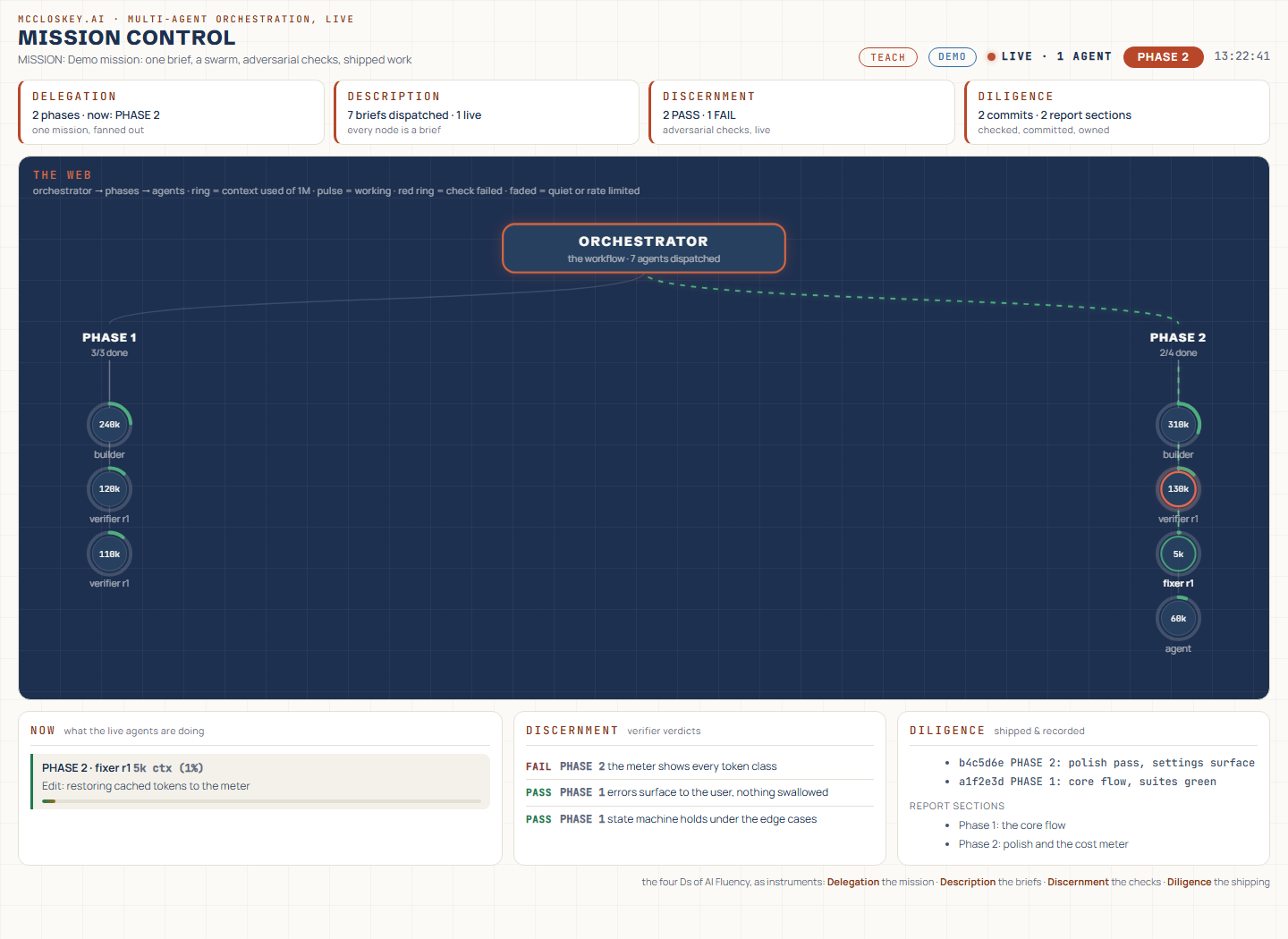
A whole team of agents working at once, splitting the job and checking each other. The manager-with-helpers loop, scaled up to build real software end to end.
The job is too big for one worker, or you want real software built from start to finish.
Run this as a team, not a single worker.

The job: [THE BIG OUTCOME]
Done means: [WHAT THE FINISHED THING LOOKS LIKE]

Plan it as a team:
1. Break the job into parts that can run in parallel.
2. Assign each part to its own agent with a clear brief.
3. Have one agent review and join the parts into a single whole.
4. Check the joined result against "done" above, and fix any gaps.

Show me the plan and who does what before you start.
This is the biggest of the three loop shapes. The deep dive on all three is in the loop.
Inside the team: sub-agents · how the splitting works
- Each sub-agent works in its own clean, separate context, so none get bogged down, then they report back and the results get combined.
- They work alone and cannot talk to each other, so this only fits work that splits into genuinely independent chunks.
- Anthropic’s own test found a team of sub-agents beat a single agent by 90.2% on a research task, at roughly fifteen times the cost. Power and bill climb together. See the study.
Beyond the six · the frontier, rarely needed
- The step past this page: the AI writes a small plan, then fans out a large parallel job, sometimes dozens or hundreds of helpers at once, and merges everything at the end.
- /goal runs one job deep until it is right. This runs many jobs wide at the same time.
- It always asks before running. You will not trigger it by accident.
- Honestly, you will rarely need it. One person burned through half a $200 monthly plan with a single prompt at this level. If a normal chat, a skill, or /goal solves it, use that instead.
This may need a big parallel workflow. Before running anything, tell me:
1. Does this job actually break into many independent pieces that can run at the same time? If not, recommend a cheaper approach (plain chat, a skill, or /goal) instead.
2. Roughly how much will this cost in effort/tokens, and is it worth it?

If a big parallel run really is the right call:
THE JOB: [the big parallel task]
THE DELIVERABLE: [one clear, named output]
Put the helpers on the cheapest capable model, bound the scope tightly, and ask me to confirm before you run it.
Four habits that make every level work · with the evidence
1 · Stop the yes-man. AI fails to push back about 88% of the time, versus about 60% for people, so make disagreement its job. The receipt.
Make it push backBefore you agree with me, argue against me. MY POSITION: [what you think / want to do] 1. Give me the single strongest case AGAINST this. 2. Tell me what I'd have to be mistaken about for my position to fall apart. 3. Then, and only then, give me your honest view, even if it contradicts me. Don't soften it to be nice. I'd rather hear the flaw now than have a client or my boss find it later.
2 · Finished is not working. “Done” is a claim, not a proof, so ask for the evidence it is done, not the announcement. The receipt.
Prove it’s doneYou've told me this is done. Now audit it as a hostile reviewer who WANTS to prove it isn't finished and gets nothing for being kind. 1. List the things that had to be true for this to count as finished. 2. Go through each one as that hostile reviewer and show me, concretely, that it holds. Where you can't show it, mark it FAILED, not "probably fine." 3. Tell me the one part most likely to be off, thin, or skipped. If any box isn't genuinely ticked, say it's not done yet rather than papering over it.
3 · Mind the dumb zone. A long session gets sloppy long before it runs out of room, so hand off to a fresh chat with a tight summary. The receipt.
Clean handoff to a fresh chatThis chat is getting long. Write me a tight handoff I can paste into a brand-new chat so we lose nothing important: - What we're doing and why - Decisions already made (and what's settled, so we don't reopen them) - The current state / where we got to - The exact next step Keep it short and concrete. No recap of the chit-chat.
4 · Pick the lowest level. That one is the golden rule at the top of this page, and its prompt sits right under it.
A skill can pick the level for you. Describe your task in plain words and it reaches for the lowest level that does the job. Meet the translator skill.