Voice
Stop typing your prompts. Say everything out loud, messy and all, and let Claude do the tidying.
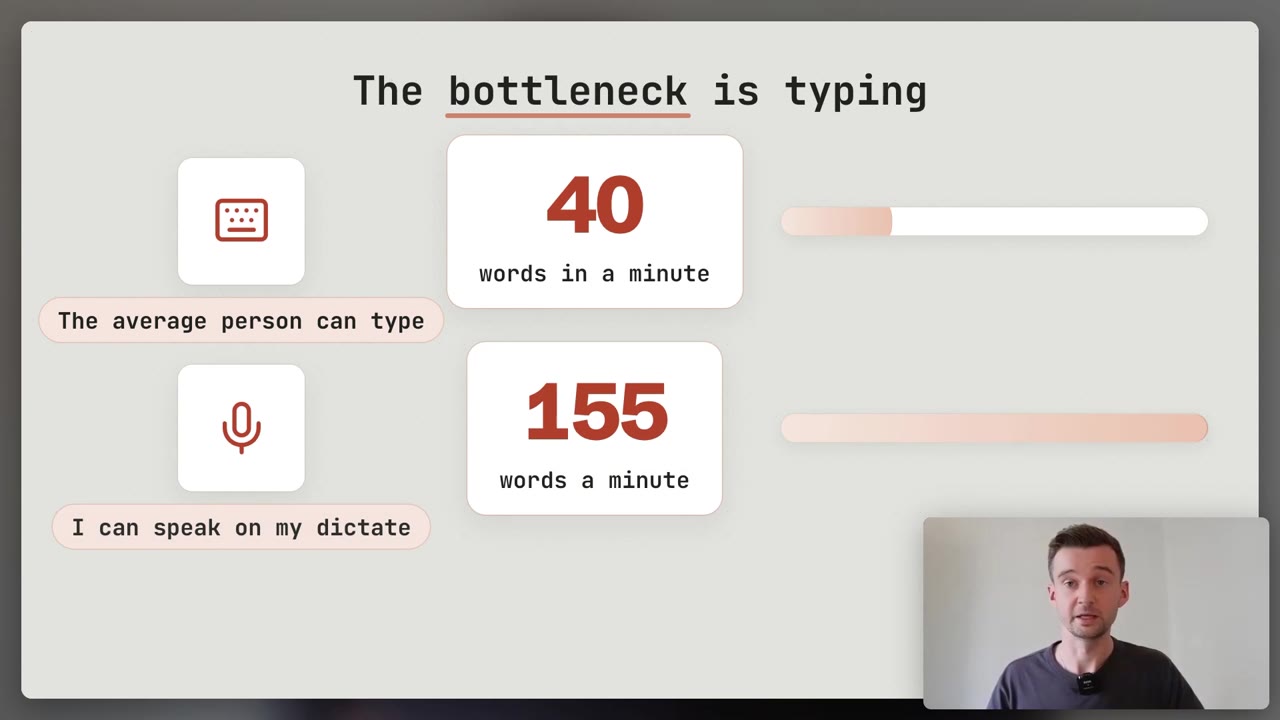
“I find the microphone is so much more helpful.” Most people type one careful sentence. Talking, they give the whole picture.
This page is about getting the words out. Turning them into a good prompt is How to Prompt →
Dictation
Speak your prompt, send it as text
Speak instead of typing. Your words arrive as a written prompt.
Claude replies in text, just as if you had typed it.
- What would you say if you were briefing a colleague?
- Have you given the context, not just the question?
- Did you read it back before you sent it?
In the phone app, on every plan: tap the microphone in the chat box, and the recording is deleted once it is text. Cowork and Claude Code have it too.
Voice mode
Think it through out loud
A spoken back-and-forth, still in beta: you talk, Claude talks back.
On every plan, and built to work best on your phone.
- What are you trying to think through on a walk?
- Is the room quiet, or do you need push-to-talk?
- Would a link be easier to type?
My walk-and-talk trick: ask it to reply only “noted” until you finish, then pull it all together.
Wispr Flow
Talk into every app, not just Claude
On your computer, hold a key, speak, let go. The words appear wherever you were typing.
It takes out the ums and adds the punctuation.
- Where do you type the most: email, Slack, documents, Claude?
- Which long messages do you put off writing?
- Which names and jargon will it need to learn?
On Mac and Windows, plus iPhone and Android. Free to start, with a weekly word limit.
Ramble first, tidy second
The first time, people try to speak in proper sentences. Drop that. A messy ramble is the goal.
- 1
Say everything. The goal, who it is for, what good looks like, what you already tried.
- 2
Do not fix it as you go. Pause, change your mind, go back. Keep talking.
- 3
Ask Claude to turn it into one clear prompt. Or ask it to interview you first.
- 4
Read what comes back before you run it. Your words, its structure.
The free sds-prompt skill → does the tidying for you, from a voice note or a brain dump.
Pick the one that fits the moment
Dictation
a prompt in your words- On your phone.
- In Cowork and Claude Code too.
Voice mode
thinking out loud- On a walk, with your phone.
- It can use your connected apps.
Wispr Flow
everywhere else- Email, messages, documents.
- One key, any app on your computer.
Voice conversations count toward your Claude usage limits, the same as typing.
- Dictation: speak the prompt, send it as text.
- Voice mode: a spoken conversation, best on your phone.
- Wispr Flow: hold a key and talk into any app on your computer.
- The habit: ramble first, let Claude tidy, read it back.
This week: say your next long prompt out loud instead of typing it.
Too messy even to say? Let Claude ask the questions: Let it interview you → Keep what you said for next time: Projects →
Do it with someone. Everything here is free and you can run it alone. If you would rather work through it with me, one to one, book a free 30-minute chat or see lessons and prices. No pitch.