Projects
A self-contained environment for deep knowledge work.
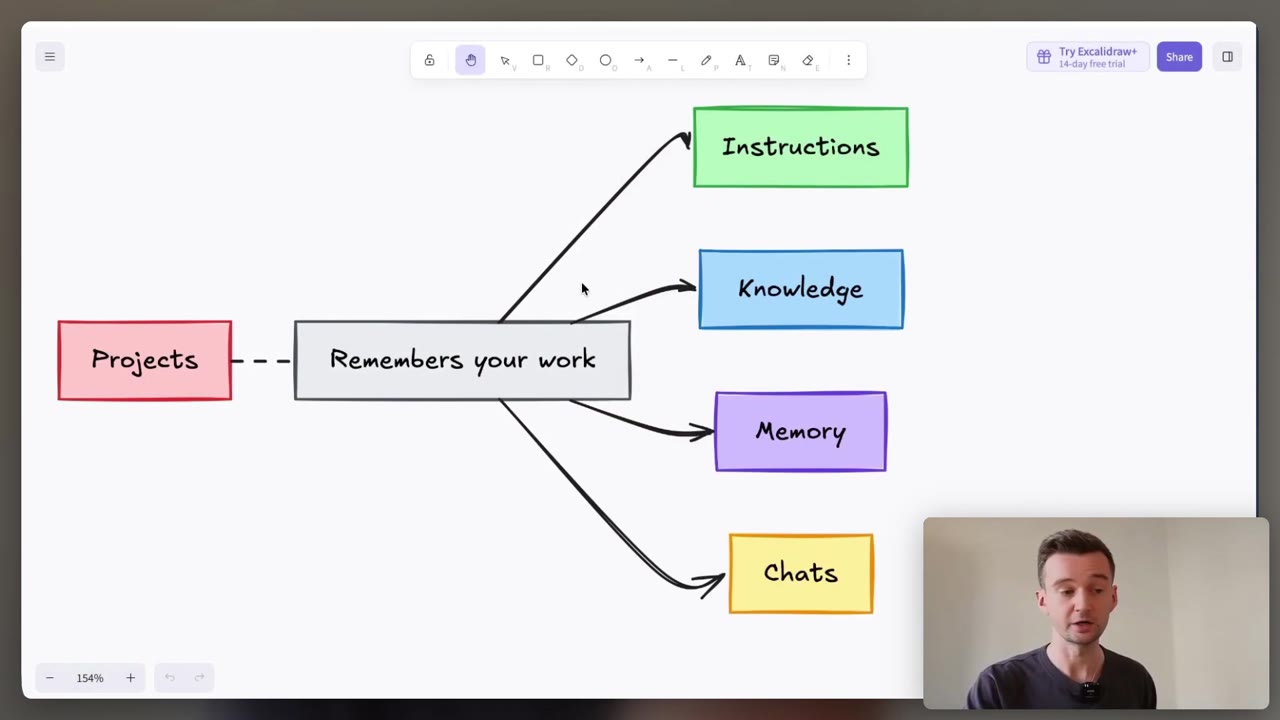
The Projects building block from Claude 101, in depth. New to Claude? Start there: Claude 101 →
Instructions
Tell it how to work, once
Standing rules Claude follows in every chat inside the project.
Not the prompt: the context around every prompt.
- What tone and format should every answer use?
- Which role or industry should it answer from?
- What should it always check, or never do?
Instructions are the lever most people skip. Three lines is a good start.
Knowledge
Give it what it needs to know
Files you upload once, used in every chat inside the project.
The real documents, not your summary of them.
- Which files do you upload again and again?
- Would a stranger know each file from its name?
- Does every chat need it, or only this one?
On paid plans it grows with you: near the limit, Claude switches to searching your files and holds up to 10 times more.
Memory
Let it remember the work
Claude remembers context from your work inside a project.
What it learns in one project stays in that project.
- Does this chat belong in this project?
- Would one project per client keep their work apart?
Chats in a project do not share everything. Anything every chat must know goes in the knowledge.
One project, one job
My own example is my taxes: the spreadsheets, PDFs and emails, all in one project. Swap taxes for a client and it works the same way.
- 1
Name it for one job. Claude cannot see the name or the description, so the instructions do the talking.
- 2
Write the instructions. Tone, the role it answers from, and one rule it must keep.
- 3
Add the knowledge. Upload the files every chat needs, named so a stranger could tell them apart.
- 4
Work inside it. Start new chats in the project, or move an old chat in with Add to project.
Projects are on every plan, and Free accounts get up to five. On Team and Enterprise plans you can share one with colleagues.
- Instructions: how Claude should work, set once.
- Knowledge: the real files every chat needs, clearly named.
- Memory: what Claude learns stays in that project.
- One project, one job: a client, a course, your taxes.
This week: make one project for the job you explain most often.
Rules for every conversation, not just one project: General Instructions → Context that builds up across all your work: Your second brain → Bring your apps in too: Connectors →
Do it with someone. Everything here is free and you can run it alone. If you would rather work through it with me, one to one, book a free 30-minute chat or see lessons and prices. No pitch.